A lot of administrators often ask in the community, “How can I export Office 365 users’ last logon time using PowerShell?”. Getting the last logon date/time of O365 user is a vital task to track the user’s last logon activity, find Inactive users, find their unused licenses, and remove those license assignments. The last-logon-time shows the time a user last accessed their mailbox using Outlook, WebMail, or their mobile phone.
Export Office 365 User Last Logon Time Using PowerShell
To find inactive users in Office 365, you can use either Exchange admin center or Get-MailboxStatistics PowerShell cmdlet. In both ways, you can’t export or use it to filter result based on Inactive days and mailbox type.
To ease your work, we have created PowerShell script to export last logon time with most required attributes like Inactive days, sign-in status, mailbox type, license details, creation time, administrative roles, etc.
Note: You can also use the Get-MgUser cmdlet to retrieve Office 365 users’ last interactive and non-interactive sign in activity.
Script Highlights:
- Single script allows you to generate 10+ different last login reports.
- The script can be executed with MFA enabled account too.
- The script supports Certificate-based authentication (CBA).
- Allows you get last login time report for list of users through import CSV.
- You can generate report based on inactive days.
- Result can be filtered based on user / all mailbox type.
- Result can be filtered to lists never logged in mailbox alone.
- Generate report for sign-in enabled users alone.
- Supports filtering licensed users alone.
- Gets login time report for admins alone
- Export results to CSV file.
- The assigned licenses column will show you the user-friendly-name like ‘Office 365 Enterprise E3’ rather than ‘ENTERPRISEPACK’.
- Automatically installs Exchange Online PowerShell (to retrieve last logon time) and MS Graph PowerShell (to get license and admin roles) modules upon your confirmation.
Download Script: LastLogonTimeReport
Office 365 Last Logon Report – Sample Output:
The script exports Office 365 users’ last-logon-date to CSV with the following attributes:
- User Principal Name
- Display Name
- Last Logon Time
- Creation Time
- Inactive Days
- Sign-in status
- Mailbox Type
- Assigned Licenses (Friendly Name)
- Admin Roles.

Script Execution:
The script designed to support both MFA enabled account and non-MFA account. You can choose any one of the below methods based on the account type.
How to: Export ‘Office 365 last login report’:
To export last logon time of Office 365 users with MFA or non-MFA account, run the script as follows.
|
1 |
./LastLogonTimeReport.ps1 |
How to: Export ‘Office 365 last logon report’ Certificate Based Authentication:
To execute script with certificate, specify the TenantId, ClientId, and CertificateThumbprint parameters in the following format.
|
1 |
./LastLogonTimeReport.ps1 -TenantId <TenantId> -ClientId <ClientId> -CertificateThumbprint <Certthumbprint> |
To use certificate based authentication, you must register an app in Azure AD. To register an Azure app and obtain certificates, you can refer to the connect MS Graph with certificate blog
Unlock the Full Potential Of ‘Office 365 Last Logon Time Report’ Script:
Below are a few use-cases for ‘Export Office 365 last logon time report’ script. I’m sure you would find many. Please leave them in the comments below to help other Admins.
- Get all users’ last login date and time
- Export last logon time for list of users (Input CSV)
- Get inactive users report based on inactive days
- Check last login date for admins
- List never logged in mailbox users
- Get last logon time report for user mailboxes
- View last logon time report for sign-in enabled users
- Schedule Azure AD last logon time report
Apart from last login report, you can track users’ login activity using login history report.
View All Microsoft 365 Users’ Last Logon Time:
To view all the Office 365 mailboxes and their last logon time, execute the script as follows.
|
1 |
.\LastLogonTimeReport.ps1 |
The exported report lists the last logon time of guest users as well as the internal users in the organization. For more detailed tracking of user sign-ins and activities such as sign-in date, location, device name, browser, OS, authentication, etc, you can generate an M365 users’ sign in report.
Note: We have used REST based cmdlets like Get-ExoMailbox, Get-ExoMailboxStatistics to improve the script execution speed for the larger organizations.
Export Last Logon Time for Bulk Users through Import CSV:
To export last sign-in time for a particular user or a list of users, you can import them using CSV/text file. Using -MBNamesFile, you can pass the input CSV file path. For example,
|
1 |
.\LastLogonTimeReport.ps1 -MBNamesFile D:\MbNames.txt |
Export Office 365 Inactive Users Report using PowerShell
To get Inactive mailboxes, you can use -InactiveDays param which will returns mailboxes that are inactive for given days. Using this param, you can get a list of users who haven’t logged in for over ‘N’ days
|
1 |
.\LastLogonTimeReport.ps1 -InactiveDays 50 |
The above script exports Office 365 users who are not logged in the past 50 days.
Office 365 Admin Login Report using PowerShell:
Since the exported report contains admin roles, you can find Office 365 admins’ last login time. To find inactive admins, run the script with -AdminsOnly switch param.
|
1 |
.\LastLogonTimeReport.ps1 -AdminsOnly |
The exported report lists all Microsoft 365 admins and their roles along with last login time.
Export Never-Logged-In Mailbox using PowerShell
To export never logged in mailbox report, run the script with -NeverLoggedInMB switch. Using this report, you can identify idle/unused mailboxes and proceed for license reconciliation. Hence you end up saving more licenses.
|
1 |
.\LastLogonTimeReport.ps1 -ReturnNeverLoggedInMB |
Export Office 365 User Mailbox Last Logon Time to CSV
Often you are in the situation to get last logon time for only user mailboxes and eliminates other types like shared mailbox, room mailbox. In that case, you can use -UserMailboxOnly param which will return user mailboxes alone in the results.
|
1 |
.\LastLogonTimeReport.ps1 -UserMailboxOnly |
The above script exports all user mailboxes with their last login time to CSV.
Get Last Login Report for Sign-in Enabled Users:
Generally, Office 365 admins disable user accounts when they left organization. In this case, retrieving all the Azure AD users’ last login time is not required. It’s better to find last login time for enabled users. To get last login date report excluding disabled users, run the script using -SignInAllowedUsersOnly parameter.
|
1 |
.\LastLogonTimeReport.ps1 -SignInAllowedUsersOnly |
This report shows last logon activity for all the sign-in enabled users.
Schedule Office 365 Last Login Date Report:
Our script is scheduler-friendly. It can be done through certificate based authentication aka, app-only access. To run the script as scheduled task, you can use Windows Task Scheduler.
|
1 |
<Script Location>\LastLogonTimeReport.ps1 -TenantId <TenantId> -ClientId <ClientId> -CertificateThumbprint <Certthumbprint> |
Note: Depending on your requirements, you can choose to use a certificate authority (CA) or create a self-signed certificate, which is more cost-effective.
Export All Office 365 Mailbox to CSV
You can export all Office 365 Mailboxes with most useful attributes like assigned license, admin roles, Last logon time, creation time etc. To export Office 365 Mailbox report, execute the script as follows
|
1 |
.\LastLogonTimeReport.ps1 |
Export Inactive User mailboxes in Office 365 to CSV
Multiple filters
can be used together to get more granular report. For example, you can generate a list of user mailboxes who are inactive for the past 50 days.
|
1 |
.\LastLogonTimeReport.ps1 -InactiveDays 50 -UserMailboxOnly |
Beginners Guide to Execute PowerShell Script:
Prerequisites:
- Windows PowerShell needs to be configured to run scripts, and by default, it isn’t. You need to configure this setting only once on your computer, not every time you connect.
|
1 |
Set-ExecutionPolicy RemoteSigned |
Steps to Execute ‘Azure AD Users’ Last Sign-in Time’ Script:
- To run script, navigate to script location and execute ./LastLogonTimeReport.ps1. The script can be executed with/without parameters. To run with parameters, refer use-cases. Once you hit enter, you will be prompted to provide your Office 365 admin credentials.
- It will take some time depends on the number of mailboxes in your environment. After script execution, it will ask whether to open the output file and it will be stored in a current working directory.
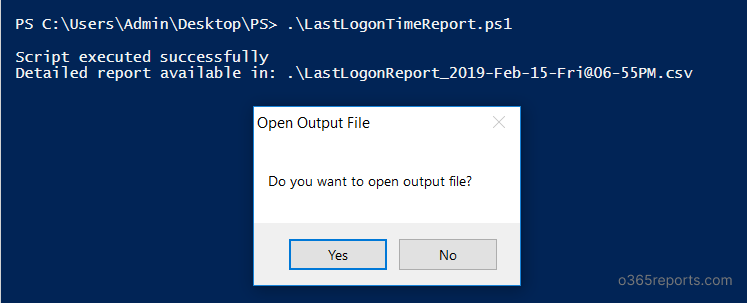
Note:
As LastLogonTime attribute also updated by some background tasks like Mailbox Assistant, this report(LastLogonTime retrieved from Get-MailboxStatistics) might give inaccurate data.
If you want to get users’ last logon time based on ‘real’ user’s last activity, you can refer Export Office 365 Users Real Last Logon Time Report to CSV blog. Also, if you visual representation of users’ last logon time, you can make use of workbooks in Entra ID.
Update Dec 2023: Microsoft has recently introduced ‘last successful sign-in date time’ attribute which helps to find inactive users accurately. It eliminates the sign-in attempts that ends in failure. So, now you can find inactive users based on their successful sign-in.
Get More Detailed Users’ Last Activity Date Report:
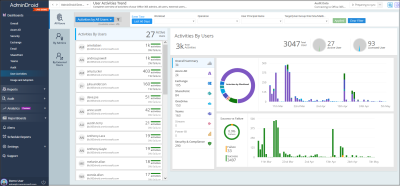
The above report list only mailboxes’ last activity time report but it won’t consider other Office 365 services like SharePoint, Teams, etc. Also, you can’t differentiate what action was performed like mail received, sent or read etc. To get more detailed report on Microsoft 365 users’ activity, you can try AdminDroid Office 365 reporting tool.
AdminDroid provides 40+ reports to determine users’ inactivity. It includes,
- Exchange inactive users
- By last mail sent time
- By last mail read time
- By last mail received time
- By last activity time
- By last logon time
- SharePoint inactive users
- By last file accessed time
- By last external file sharing
- By last file sync time
- By last internal file sharing
- By last page accessed time
- By last SharePoint activity time
- Teams inactive users
- By last Team chat message sent
- By last call activity
- By last meeting activity
- By last private message sent time
- By last Teams activity
- OneDrive inactive users
- By last file accessed time
- By last external file sharing
- By last file sync time
- By last internal file sharing
- By last page accessed time
- Yammer inactive users
- By last like received
- By last post posted
- By last post read time
- By last active time
- By last Yammer activity time
- Inactive user overview reports
- Inactive users report for each O365 service
- Last logon time report based on city, state, county, browser, device OS, etc.
- Inactive mailbox based on the mailbox app usage (Outlook for Mac/Windows, OWA, Outlook for mobile, etc)
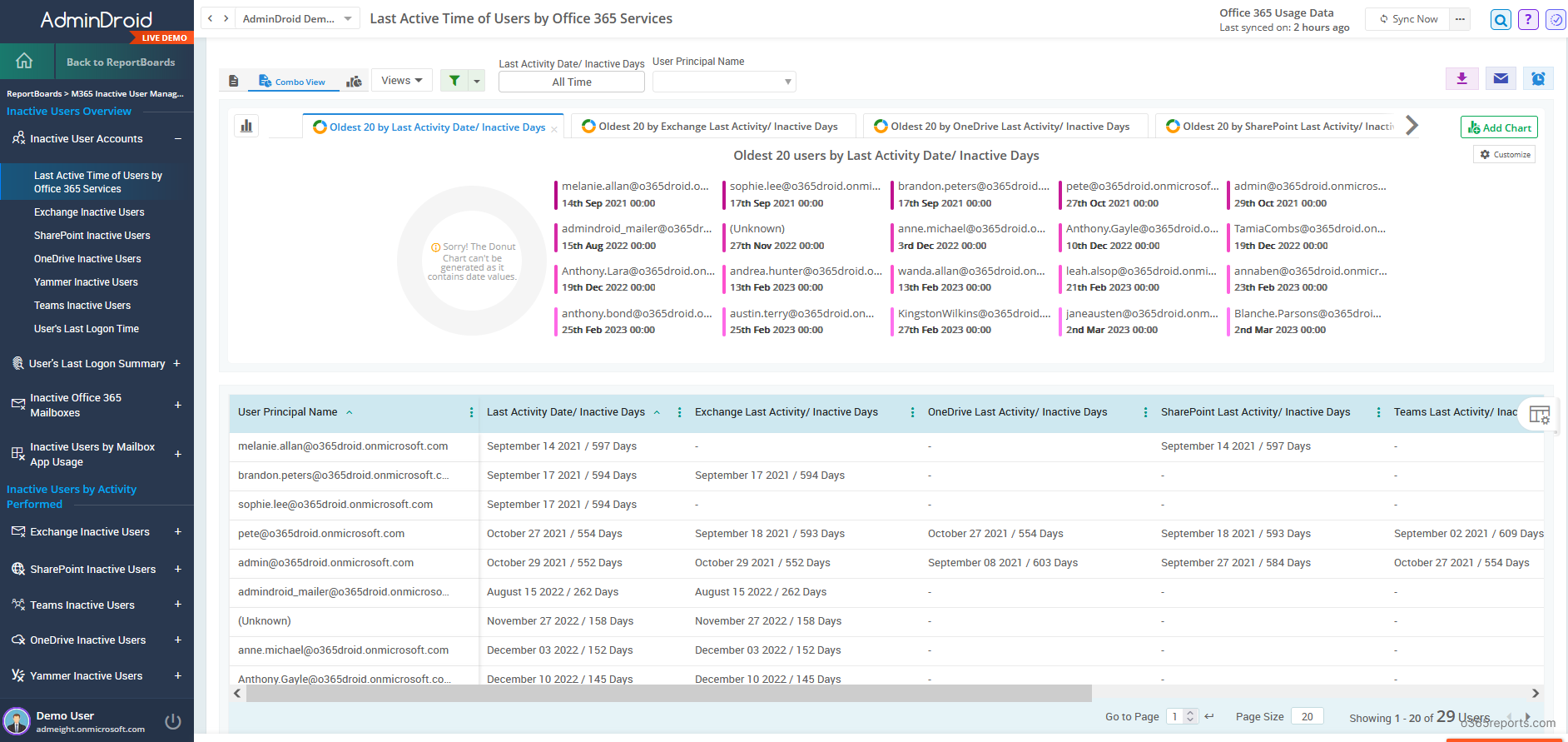
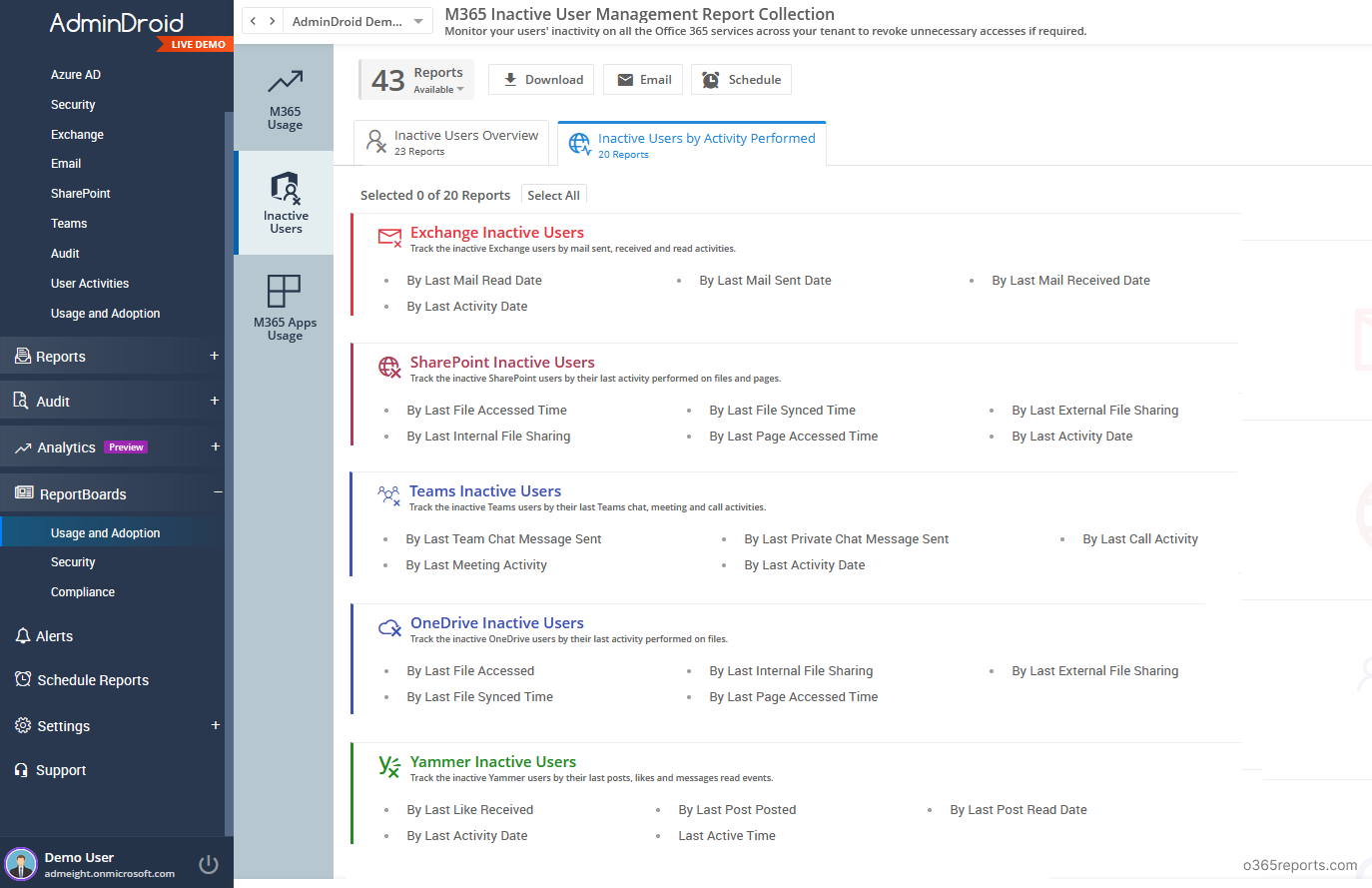
AdminDroid offers an Inactive User ReportBoard, which enables you to monitor user inactivity across all Microsoft 365 services in one centralized location. This tool simplifies monitoring and saves time compared to navigating to different places to check individual reports
AdminDroid provides all-inclusive details about Microsoft 365 Usage & Adoption to improve efficient resource usage and manage inactive users. 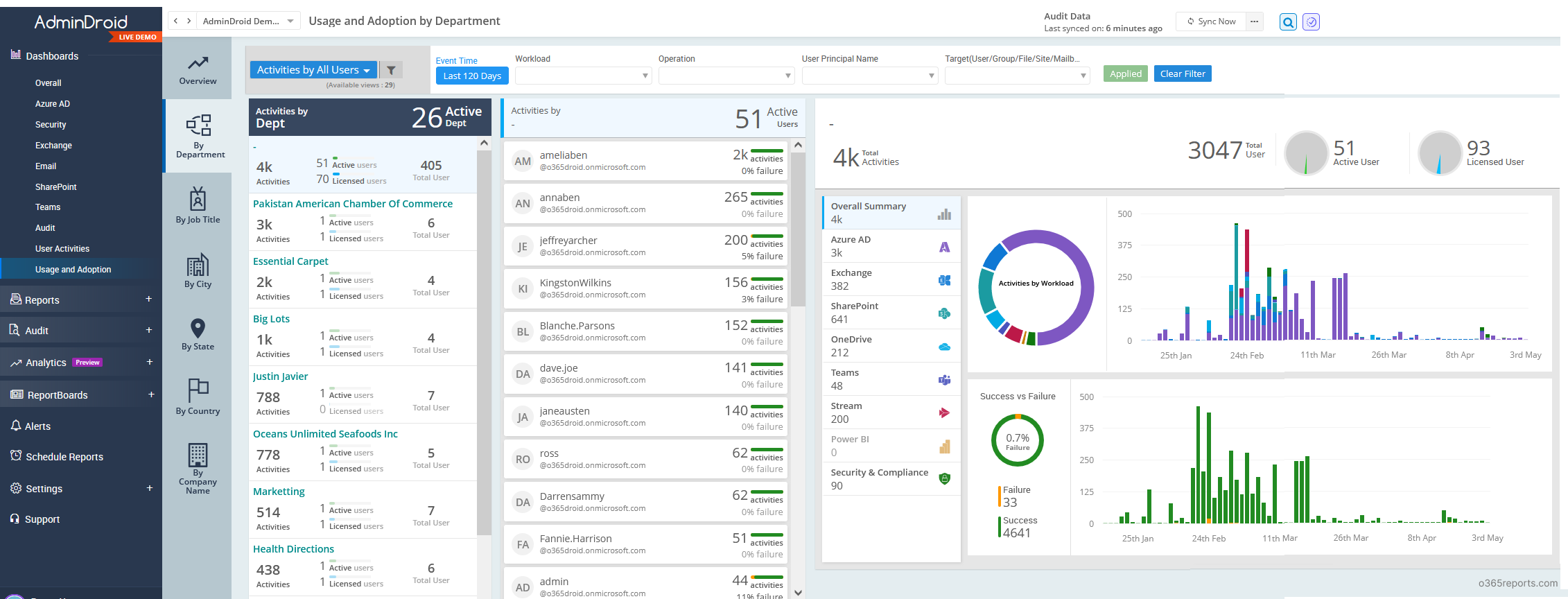
Additionally, AdminDroid provides 1800+ pre-built reports and 30 smart dashboards to know about your Office 365 environment at a glance. This tool provides reports on Office 365 reporting, auditing, analytics, usage statistics, security & compliance, etc.
Besides, AdminDroid provides over 120+ free reports and dashboards. It includes reports on Users, Licenses, Groups, Group Members, Devices, Login Activities, Password Changes, License Changes, and more. The free edition doesn’t have any restrictions in reporting functionalities such as customization, scheduling, and exporting. For your Azure AD reporting and auditing needs, you can download Free Azure AD reporting tool by AdminDroid and see how it works for you.
If you have any queries, reach us through the comment section.