Hi folks! It’s good to see you again.
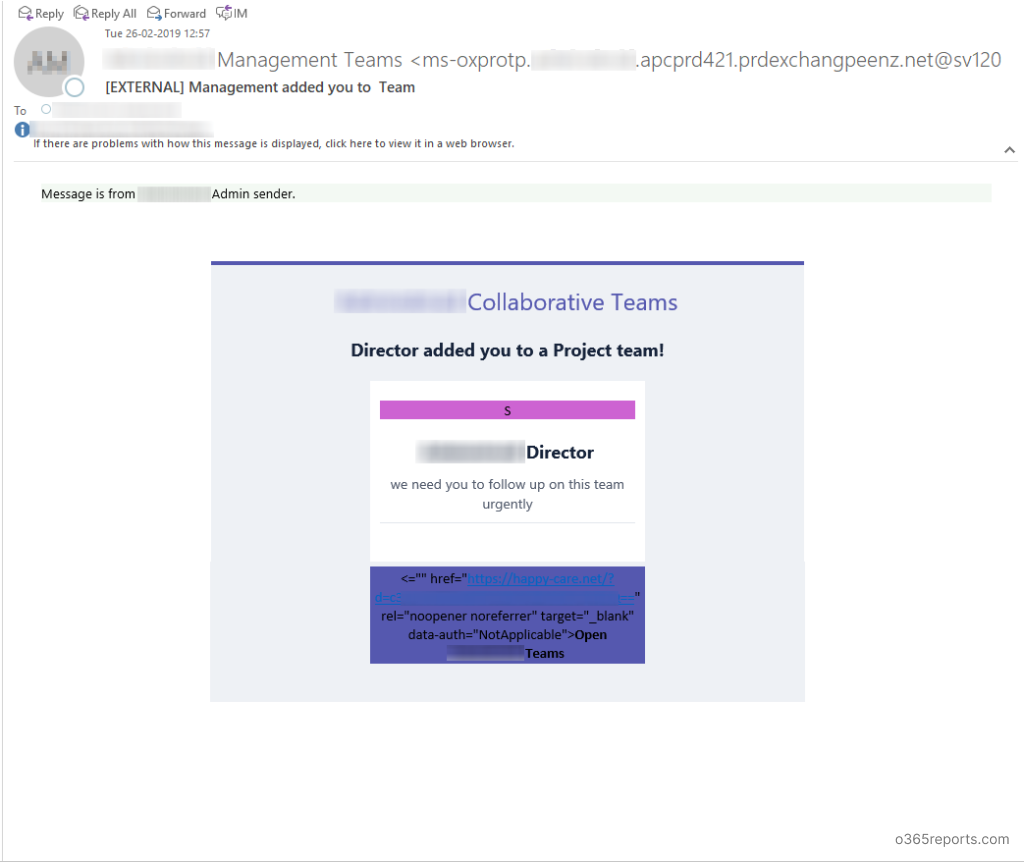
Today, I got this email from our company Director that they have added me to the Project team! Ah, I’m on heavens 🙂 🙂
Wait!
This is not from our Director; I don’t have a director with this email address: ms-oxprotp.mycompanydomain.apcprd421.prdexchangpeenz.net@sv120.wadax.ne.jp
It’s neither from Microsoft’s Office 365 team.
Now, I recognize it is a fishy phishing trick by some prick. What does the link in the email do then? Let’s see.
It’s like this: https://happy-care.net/?d=dG9ueUBvdXJjb21wYW55ZG9tYWluLmNvbQ==
(I played a little and modified the URL to hide my email from future phishing attacks)
The base64 value directly converts to my email address and when I open, I see this.
dG9ueUBvdXJjb21wYW55ZG9tYWluLmNvbQ== is tony@ourcompanydomain.com in plain text.
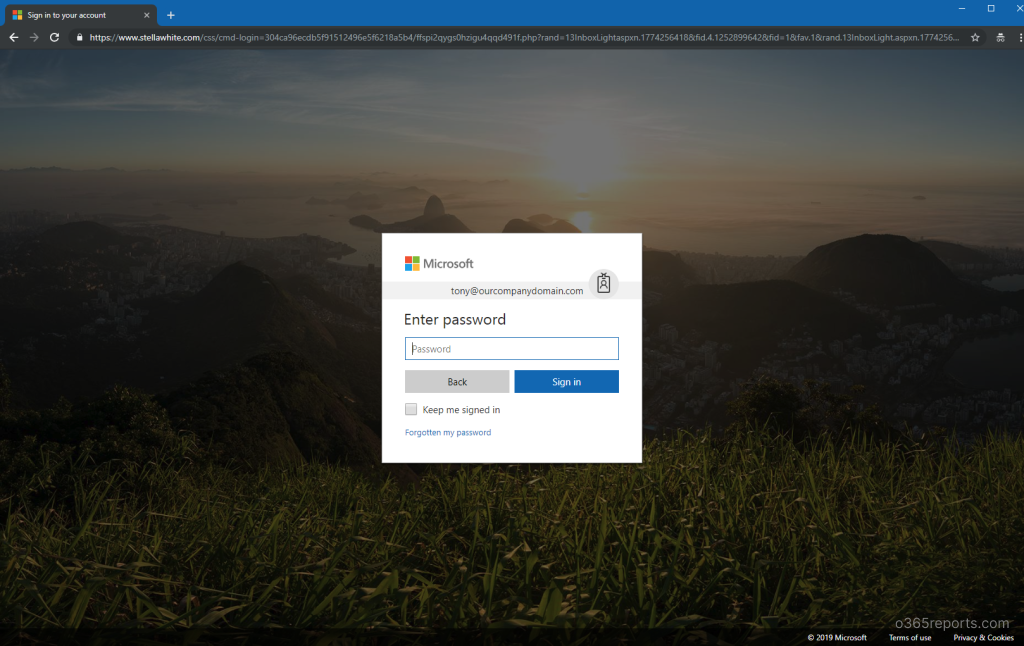
Did you notice?
It has the Microsoft favicon, https, and also a very good looking Microsoft Office 365 login page. But…

The URL is not from Microsoft. The moment you enter your password, you are sharing your account with some anonymous user who can be you from now.
Conclusion:
Be careful folks, you may see a different email like this as well. Check the URLs twice after checking twice.
See you with a different security risk soon. I hope there are plenty nowadays.
Safety and Peace!