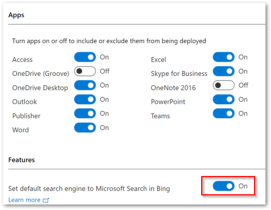
We all know that Microsoft’s recent plan about automatically deploying a browser plugin that changes browser’s search engine to Bing. With the new update of Office 365 ProPlus – version 2002, an extension will be added to the Google Chrome browser.
This update planned to roll out from the middle of Feb 2020. But, most customers don’t want Office 365 ProPlus to change their browser settings, and it should be disabled by default. And also, they need a way to govern this setting in unmanaged devices.
After getting more negative feedback, Microsoft has dropped its plan on the new browser plugin and made a new update on Feb 11, 2020.
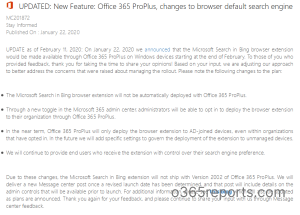
Following changes are listed in the new update:
- Bing browser extension will not be automatically deployed for Office 365 ProPlus.
- Administrators can opt in to deploy browser extension through Microsoft 365 admin center.
- In the future, Office 365 ProPlus will only deploy Bing extension in AD- joined devices if they opted in.
- Microsoft will add a new setting to govern the deployment of browser extension in unmanaged devices.
- Microsoft will continue to provide end-users who receive the extension with control over their search engine preference.
Due to these changes, the Microsoft Search in Bing extension won’t ship with Version 2002 of Office 365 ProPlus.
Now, I can hear your scream of joy!